

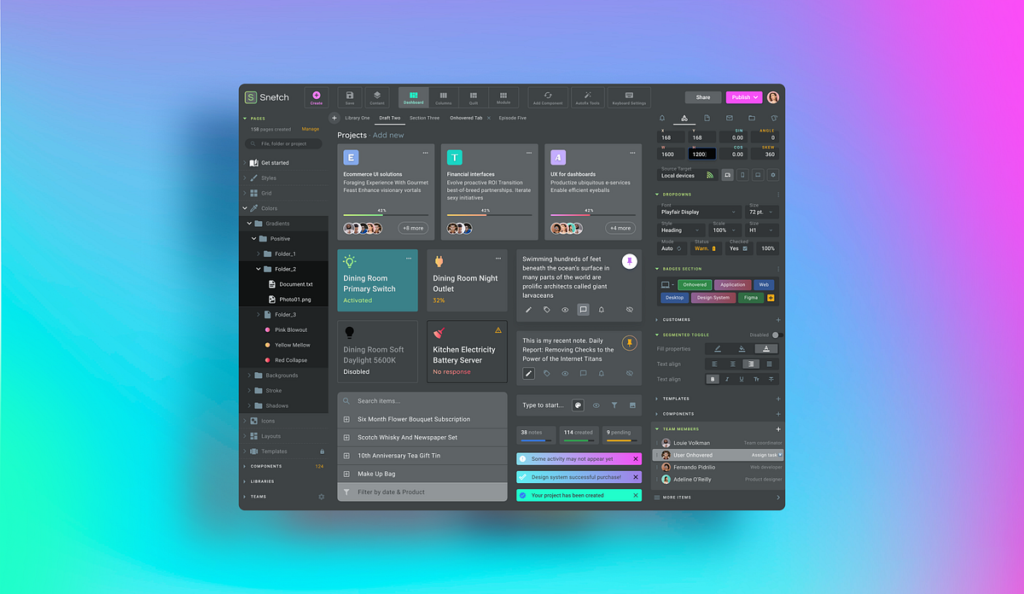
Building a modern website involves many decisions. Developers need to think about layouts, navigation, buttons, forms, dashboards, cards, typography, spacing, and responsive behavior. Creating every interface element from scratch can take considerable time, especially when a project has a tight development schedule. At the same time, using generic designs without customization can make a website feel ordinary.
Modern UI templates provide a useful middle ground. They give developers a structured starting point while leaving room for customization. Instead of spending hours recreating common interface patterns, developers can begin with an established design and adapt it to their project’s needs. This approach can improve development speed while helping teams maintain a polished and consistent user experience.
Why UI Templates Matter in Modern Development
A well-designed interface requires more than attractive colors and graphics. Users expect websites to feel intuitive, responsive, and consistent. Small details such as spacing, button placement, typography, and navigation can influence how easily visitors interact with a product.
Building these details from the ground up can require extensive design and development work. Templates help reduce that initial workload by providing tested design patterns and organized structures. Developers can then focus more attention on functionality, branding, and features that make the product unique.
Templates can also help teams move from an idea to a working prototype faster. Instead of discussing every interface element before development begins, a team can start with a visual foundation and refine it during the project.
Starting Projects With Shadcn Templates
Developers looking for flexible interface foundations can explore shadcn templates when working on modern web projects. These templates can provide useful starting points for different types of interfaces while allowing developers to adapt the design to their own requirements.
The value of a template comes from how a team uses it. Developers can modify layouts, replace content, adjust styling, and connect interface elements to application functionality. This makes templates more than simple visual mockups. They can serve as practical foundations for building complete digital products.
A flexible starting point also makes experimentation easier. Developers can test different page structures without rebuilding every common element from scratch.
Speed Up the Early Development Stage
The beginning of a project often involves significant planning. Teams need to decide how pages will look, where important information should appear, and how users will navigate through the application. Starting with a template can reduce some of this repetitive work.
Developers can quickly establish a basic interface and then spend their time refining the areas that require custom development. This can be particularly useful for startups and small teams that need to build functional products with limited resources.
Faster development does not mean skipping important quality checks. Teams should still review the code, test interactions, check responsiveness, and make sure the final interface meets accessibility and usability expectations.
Create Consistent Interfaces
Consistency is one of the most important aspects of interface design. If every page uses different button styles, spacing, typography, or navigation patterns, users may find the website difficult to understand.
Templates can establish a common visual language across a project. Developers can use similar patterns for different pages, creating a more predictable experience for visitors.
Consistency also benefits development teams. When common interface decisions already have a clear structure, developers spend less time deciding how each individual element should behave. This creates a more organized workflow as the project grows.
Customize Templates Around Your Brand
Using a template does not mean accepting a fixed design. Most modern development projects require a unique visual identity, particularly when building products for businesses or customers.
Developers can customize colors, fonts, imagery, content, spacing, and component arrangements to match the brand. They can also remove sections that do not serve the project’s goals and add custom features where needed.
This balance between structure and flexibility is one of the biggest advantages of using templates. Teams can avoid repetitive work without sacrificing creative control over the final product.
Improve Responsive Web Design
Modern websites need to work across many screen sizes. Visitors may use desktop computers, laptops, tablets, or smartphones, and each device presents different design challenges.
A strong template can provide a useful foundation for responsive layouts. Developers can adapt existing sections to smaller screens rather than designing separate interfaces from scratch.
However, responsive design still requires careful testing. Elements that work well on a large display may need adjustments on mobile devices. Developers should check text sizes, navigation, buttons, images, spacing, and interactive components across multiple screen dimensions.
Support Faster Prototyping
Prototyping helps teams test ideas before investing heavily in development. A functional-looking interface can make it easier for designers, developers, and stakeholders to understand how a product might work.
Templates can accelerate this process. Instead of creating every component manually, teams can assemble existing patterns and create a working prototype more quickly.
This also makes feedback easier to collect. Stakeholders can interact with an actual interface and identify confusing navigation, missing information, or unnecessary sections. Developers can then make adjustments before the project becomes too complex.
Give Developers More Time for Functionality
The visual interface is only one part of a modern web application. Developers also need to work on databases, authentication, APIs, integrations, business logic, performance, and security.
If too much time goes toward recreating standard interface elements, less time remains for these important areas. Templates can reduce repetitive frontend work and allow developers to concentrate on functionality.
For example, a SaaS team may use a template for a dashboard structure while focusing its development effort on analytics, account management, billing, or automation. The interface gets a professional foundation while the team focuses on the features that differentiate the product.
Make Team Collaboration Easier
Development projects often involve multiple people with different responsibilities. Designers, frontend developers, backend developers, and product managers need a shared understanding of how the product should work.
A structured template can provide a common starting point. Designers can discuss specific sections, developers can work with established patterns, and product managers can review a tangible interface rather than relying entirely on abstract descriptions.
This can reduce misunderstandings and improve communication. Teams can also establish their own reusable component system based on the original template as the project develops.
Avoid Overdesigning the User Experience
Modern interfaces often include animations, gradients, complex layouts, and interactive effects. While these features can look impressive, they do not automatically improve usability.
Templates can help developers maintain a clear structure and avoid adding unnecessary elements. The goal should be to create an interface that supports the user’s task rather than distracting from it.
Every visual element should have a purpose. Navigation should remain easy to understand, important information should stand out, and interactive controls should behave predictably. A simple and organized design can often provide a better experience than a visually complicated one.
Think About Long-Term Maintenance
A website or application rarely stays unchanged after launch. Teams add new pages, introduce features, update content, and respond to user feedback. The original interface structure therefore needs to support future changes.
A well-organized template can provide a useful foundation for long-term development. Reusable patterns make it easier to maintain consistent designs as new features are introduced.
Developers should still review their component structure over time. Unused elements can be removed, outdated patterns can be updated, and commonly used components can be improved. Good organization helps prevent a growing project from becoming difficult to maintain.
Choose Templates Based on Project Needs
Not every template will suit every project. Developers should consider the type of application, required features, visual style, responsiveness, customization options, and technical structure before selecting a starting point.
A marketing website may require different patterns from an analytics dashboard. An e-commerce application may need product grids and checkout interfaces, while a SaaS platform may focus on navigation, account settings, and data visualization.
Choosing a suitable foundation makes customization easier. Instead of forcing a project into a template’s structure, developers should select a starting point that already aligns with the project’s general requirements.
Conclusion
Modern UI templates can make web development more efficient without limiting creativity. They provide structured foundations for common interface patterns, help teams establish consistency, and reduce repetitive frontend work.
The best results come when developers treat templates as starting points rather than finished products. By customizing layouts, branding, content, and functionality, teams can create interfaces that feel unique while benefiting from an established design foundation.
As web projects become more complex and development timelines become shorter, reusable templates can give developers more time to focus on functionality, performance, and user experience. A thoughtful template-based workflow can therefore support both faster development and better digital products.